Arrow Out
Played 82 times.
- % (0/0)


Description
Instructions
Categories Tags Comments

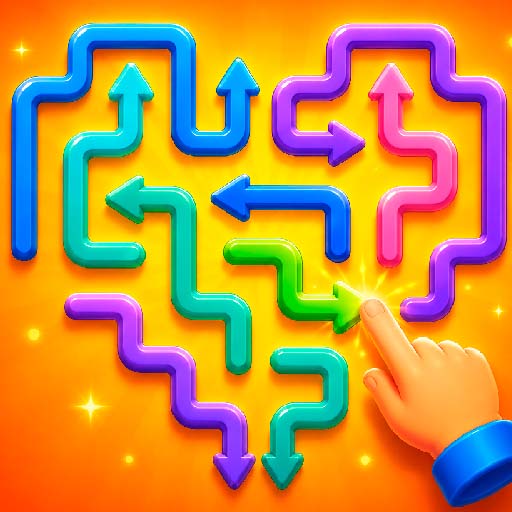
Arrow Out invites you into a quietly satisfying world of visual logic. In each level you face a complex shape made up of dozens of interwoven arrows. The objective is simple enough—remove every arrow—but the trick lies in figuring out how to clear them without collision.
When you tap an arrow it begins sliding along its own lane, looking only ahead for a free space. If the path is clear the arrow will glide smoothly to the edge and vanish. However, if another arrow blocks its way, the sliding arrow crashes, costing you a heart. Your job is to plan your moves carefully, choosing which arrows to release and when, so that each slide frees a new lane for the next. The game rewards patience: a clear strategy turns a tangled grid into a neat, complete shape.
The mechanics feel reminiscent of a relaxed puzzle like Doodle Drop, where visual clarity and order are key. Likewise, the tactile satisfaction of clearing a lane echoes the precision you find in A7 Parking Puzzle. For those who enjoy a 3‑D twist on shape‑matching, Stick Wars 3D offers a more dynamic environment, while Down the Hill gives a gentle descent of logic puzzle shapes. Each link leads to a game that shares the same gentle, mind‑calming vibe, making Arrow Out a fitting companion in your casual gaming lineup.
With a clean, button‑free interface, the game is easy to pick up on any device. Click or tap an arrow to launch it; on desktop just use the mouse, on mobile just tap the screen. The gradual difficulty curve keeps the challenge consistent, encouraging replay without frustration. No external rivalry or leaderboards mean you can focus purely on solving the puzzles at your own pace.
Instructions
Goal: remove all arrows from the board by sliding them along clear lanes without collision.
Controls:
- **Mouse/Touch**: tap or click an arrow to start it sliding.
- **Keyboard**: left‑click or press the arrow’s on‑screen button if using a stylus.
Key Mechanics & Tips:
- Scan the board for the longest free lane first to create space for subsequent arrows.
- Plan backward: think which arrows you can pull later to clear a path for earlier moves.
- Use the “undo” feature (if available) to backtrack once you hit a mistake.
- Keep an eye on hearts; each collision costs one. Losing all hearts means a retry.
Happy solving!
Categories Tags Comments
You must log in to write a comment.