Word Search Universe 2
Played 228 times.
- % (0/0)


Description
Instructions
Categories Tags Comments

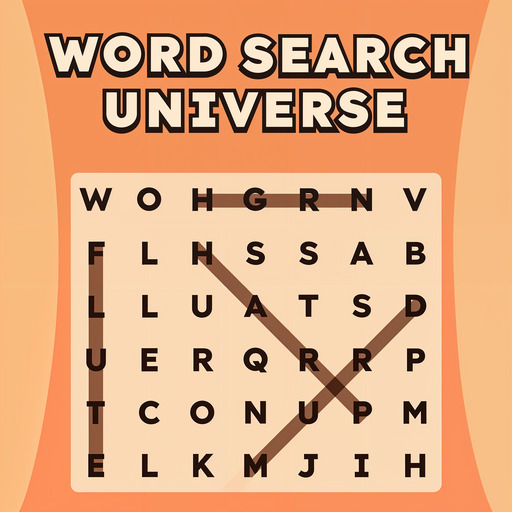
Word Search Universe 2 invites you into a vast library of themed word‑search puzzles that stretch your mind and your vocabulary. Every level is carved around a different subject—science, history, food, nature, and more—so you never run out of fresh content. As you glide your finger or mouse across the grid, letters reveal themselves, and when you swipe across a word it collapses into a shining line, awarding you points and clearing the board for the next challenge.
The game’s interface stays minimal yet polished: crisp, black‑on‑white grids give way to subtle color accents when words are found, keeping the focus on the puzzle itself. Each new chapter opens after you complete a set of puzzles, unlocking richer themes and increasingly complex word lists that warily balance difficulty with satisfaction. If you’re looking for a quick mental break or a longer adventure, Word Search Universe 2 scales to your appetite.
You can also dash between worlds with a few casual “link‑up” levels. For instance, if you crave a twist on the classic crossover style, check out Doodle Drop for a playful blend of drawing and scratching. When you need a burst of action, Stick Wars 3D delivers a fast‑paced battle that’s a far cry from the calm of word hunting. If you’re in the mood for a mechanical brain‑teaser, A7 Parking Puzzle lets you navigate tight spaces, while Maldito Botín offers chaotic, scavenger‑hunt‑style gameplay, and Down the Hill rolls a simple but oddly addictive downhill ride.
Word Search Universe 2 is built for all players: touchscreen taps for mobile a player slides a finger to form a word, while desktop users can click letters and drag them to form a word. The controls are perfectly responsive, whether on a phone, tablet, or computer. The game rewards patience, pattern recognition, and a solid grasp of language, making it an ideal pastime for students, casual gamers, or anyone wanting a gentle mental workout.
Instructions
**Goal** – Find all hidden words in each grid to complete the level.
**Controls** – On touch devices, swipe across letters to form words; on a mouse, click and drag between letters. Keyboard controls can be enabled via the fullscreen menu, placing letters under the cursor and using arrow keys to select.
**Key mechanics** –
- Swiping left or right, up or down will select continuous letters.
- Once a word is completed, it disappears, revealing any new potential words.
- Each level unlocks the next after all words are found; some levels offer bonus challenges that award extra points for speed.
**Tips** –
- Scan the grid for common prefixes (“PRE”, “UN”, “RE”) or suffixes (“ING”, “ION”).
- Work from the outer edges inward; words often sit along borders.
- Use the “hint” button sparingly; it reveals one letter and is a good last‑resort safety net.
Categories Tags Comments
You must log in to write a comment.